 Cem Kiray's Page
 Table of Contents
Open Table of Contents
- ”Final reminder: Answer the updated age ratings questions.”
- What is “updated age ratings” in App Store Connect?
- Why I believe the “Final reminder” email was sent by mistake
- Why App Store Connect shows “An error has occurred. Try again later”
- What I did (and what I recommend doing in order)
- Not to confuse with the Apple Developer Program “Unknown Error Occurred”
- Conclusion / TL;DR
- ❓ Frequently Asked Questions (FAQ)
”Final reminder: Answer the updated age ratings questions.”
I publish many apps to App Store, so I am used to Apple sending “action required” emails, most of the time they are legitimate and urgent.
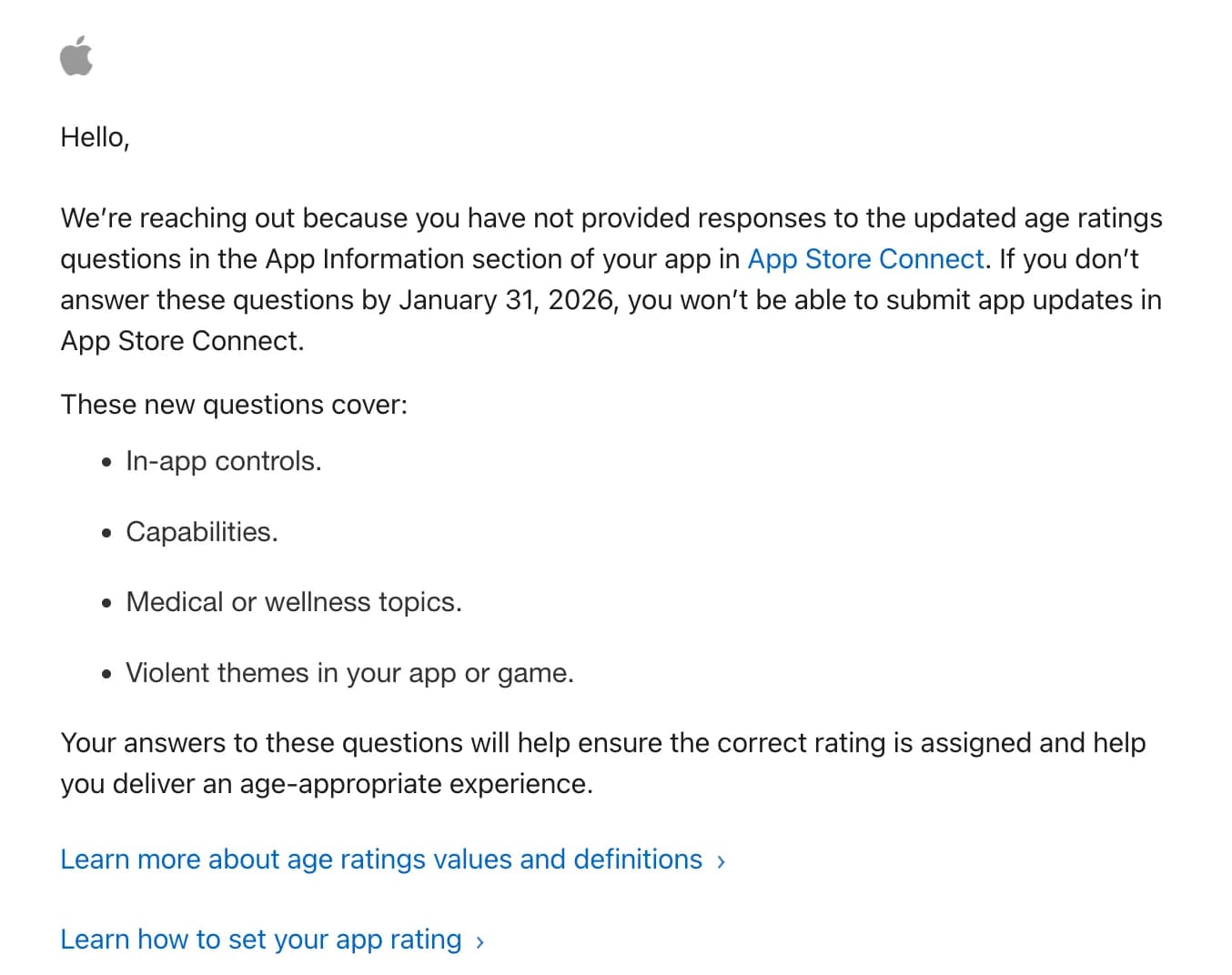
Yesterday, I got an email titled “Final reminder: Answer the updated age ratings questions.”, just a day after I published my new app: analog film camera for iphone - oneshotcam, so I assumed I forgot to add some required information. When I opened the link, I got “An error has occured. Try again later” error in App Information tab.
And just like that, I couldn’t do anything in App Store Connect.

If you’re here because you received the email subject “Final reminder: Answer the updated age ratings questions.” and then got locked out with a generic App Store Connect error, this post is my write-up of what happened and what I learned.
What is “updated age ratings” in App Store Connect?
Apple updated the App Store age rating system to be more granular, adding 13+, 16+, and 18+ to the existing 4+ and 9+ ratings. Alongside that, Apple introduced a new set of required questions in the age rating questionnaire for all apps, covering topics like:
- In-app controls
- Capabilities
- Medical or wellness topics
- Violent themes
Apple’s announcement also states a deadline: developers should respond to the updated age rating questions by January 31, 2026 to avoid interruptions when submitting app updates in App Store Connect. (Source: Apple Developer News, “Updated age ratings in App Store Connect”, July 24, 2025: https://developer.apple.com/news/?id=ks775ehf)
Why I believe the “Final reminder” email was sent by mistake
After the initial panic, I did what every developer does: I searched around to see if I was the only one.
On Apple Developer Forums, there’s a thread with the exact same subject line, and multiple developers report receiving the “Final reminder” email even though their apps already had the age ratings questions fully answered. Some also mention that the email doesn’t even specify which app is affected. (Thread: https://developer.apple.com/forums/thread/810033)
That aligns with my experience:
- I didn’t have a clear “missing item” in App Store Connect that matched the urgency of the email.
- The email felt like a broad blast rather than an app-specific warning.
- The link didn’t take me to a working place in App Store Connect — it took me to an error.
My conclusion: this email was sent by error (or overly broadly), and it coincided with a temporary App Store Connect problem.
Why App Store Connect shows “An error has occurred. Try again later”
That message is App Store Connect’s equivalent of “something went wrong” — and it’s often not actionable because it can be caused by:
- A temporary App Store Connect outage or degraded service
- A bad session / login cookie state
- A permission/role issue on the account
- Pending agreements or account actions that App Store Connect fails to present nicely
The fastest sanity check is Apple’s official status page. Apple lists App Store Connect and related services on the Apple Developer System Status page: https://developer.apple.com/system-status/.
If App Store Connect is having issues, the correct fix is usually the least satisfying one: wait and try again later.
What I did (and what I recommend doing in order)
Here’s the pragmatic checklist I now follow when App Store Connect randomly refuses to load:
-
Check Apple’s System Status
- Look at https://developer.apple.com/system-status/ and confirm App Store Connect isn’t degraded.
-
Try a clean login
- Sign out of App Store Connect.
- Open a private/incognito window.
- Log in again.
-
Switch browser / disable extensions
- Content blockers, privacy extensions, or corporate proxies can break Apple’s auth flows.
-
Verify age rating questions the normal way
- Ignore the email link.
- Go directly to App Store Connect and open your app:
- App Information → Age Rating (questionnaire)
-
Look for other account-level blockers
- If you can access App Store Connect later, check whether anything needs attention in:
- Agreements, Tax, and Banking
- Users and Access (roles/permissions)
- If you can access App Store Connect later, check whether anything needs attention in:
Not to confuse with the Apple Developer Program “Unknown Error Occurred”
Apple loves generic errors.
If you’re seeing a different screen like “We are unable to process your request. An unknown error occurred.” while creating a new developer account, that’s a separate issue (often related to enrollment/account setup rather than App Store Connect itself). I wrote about that one here:
Conclusion / TL;DR
TLDR:
- The updated age ratings questionnaire is real (Apple announced it and set a compliance deadline).
- The “Final reminder: Answer the updated age ratings questions.” email appears to have been sent too broadly / by mistake, based on community reports.
- Clicking the email link can land you in App Store Connect’s generic error page — and in my case it also lined up with a period where App Store Connect was simply not reachable.
- The best moves are: check Apple system status, retry later, and navigate to the age rating questionnaire directly instead of relying on the email link.
❓ Frequently Asked Questions (FAQ)
Do I actually need to answer the updated age ratings questions?
Yes. Apple introduced new required questions for age ratings in App Store Connect. The official Apple Developer News post says to respond for each app by January 31, 2026 to avoid interruptions when submitting updates. Source: https://developer.apple.com/news/?id=ks775ehf
Was the “Final reminder” email a scam?
Not necessarily. In my case, it looked like a legitimate Apple email, but it behaved like it was sent incorrectly or too broadly. If you’re unsure, don’t click the link. Go directly to App Store Connect in your browser.
Why does App Store Connect show “An error has occurred. Try again later”?
Because App Store Connect sometimes fails in a way that doesn’t explain itself. Check https://developer.apple.com/system-status/, try a clean login, and if the status page shows issues, waiting is often the only real fix.
Where can I discuss this with other developers?
The Apple Developer Forums thread discussing this exact email subject line is here: https://developer.apple.com/forums/thread/810033