 Cem Kiray's Page
 I was trying to publish a new Android build of an Expo React Native application I’m working on. First Android release of 2026! After getting a build, I uploaded it to Google Play Console, only to see an error: “You can’t rollout this release because it doesn’t allow any existing users to upgrade to the newly added app bundles.”.
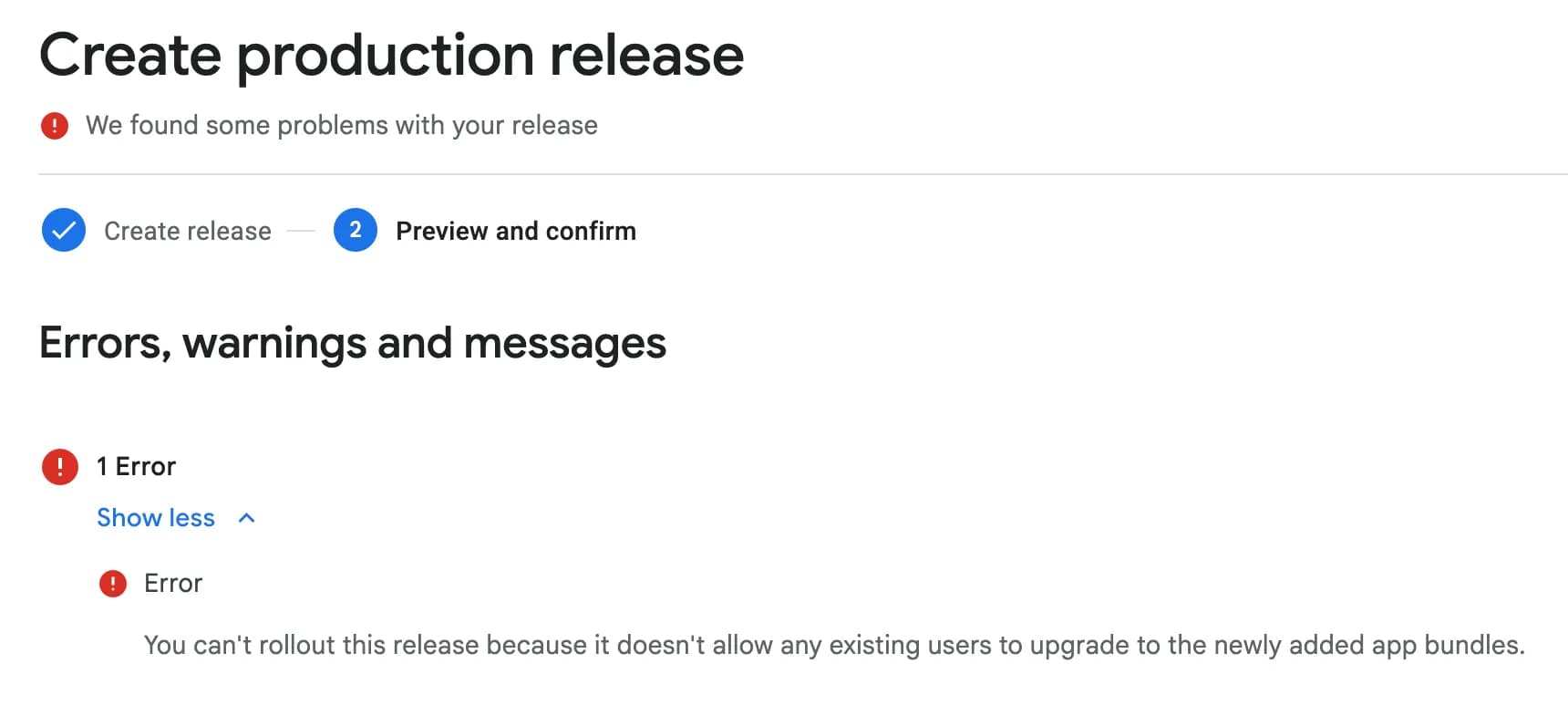
In this post I’m writing about the reasons of this error, and how to fix it. Although my post assumes your app uses Expo React Native, the solution to “You can’t rollout this release because it doesn’t allow any existing users to upgrade to the newly added app bundles.” error applies to all frameworks and languages, including Flutter, Kotlin and Java.
Table of contents
Open Table of contents
Why does “can’t rollout this release” error happens?
After a brief research, I quickly understood the reason of “You can’t rollout this release because it doesn’t allow any existing users to upgrade to the newly added app bundles.” error.
This error happens simply because you are trying to push a new app release, which has lower version code than the previous release. Check the image:
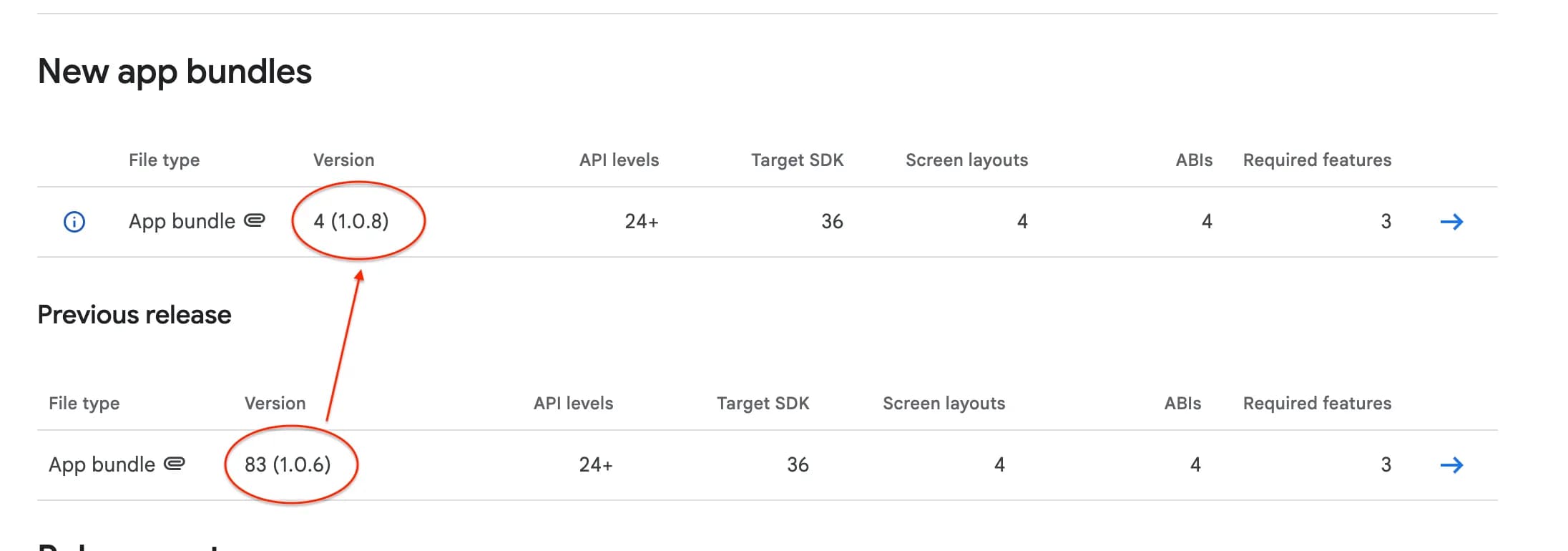
When I checked the previous and new app bundles, I spotted the mistake:
- New bundle: 4 (
1.0.8) - Previous: 83 (
1.0.6)
Although the package numbers (1.0.8 vs 1.0.6) looks okay, Google Play Console cares about the version code (4 vs 83), and expects each new bundle to have higher version code than the previous builds.
When you understand the reason, the solution is pretty easy.
The Core Concept: VersionCode vs. VersionName
It is easy to confuse the two numbers involved in Android versioning:
VersionName(e.g.,1.0.8): This is the string visible to your users on the Play Store. You can technically keep this the same or lower (though it’s confusing for users), and Google won’t block the release.VersionCode(e.g.83): This is an internal integer used strictly by Android and Google Play to determine upgradability. This number must always increase. If you upload a build with code83and try to upload4later, Google assumes you are trying to downgrade the user, which isn’t allowed.
How to fix “You can’t rollout this release” error?
Again, even though I will be mainly talking about the solution for Expo - React Native application, the main idea does not change for other platforms such as Flutter and Kotlin either. You basically need to make sure your bundle has bigger version code than previous bundles you’ve uploaded to Play Console.
Here is how to fix “you can’t rollout this release because it doesn’t allow any existing users to upgrade to the newly added app bundles.” error:
-
Make sure you know how you are incrementing build version of your Expo React Native app. For an Expo app, there are two ways: auto-increment and local manual increment.
For this, check your
eas.jsonfile. For auto-incrementing apps, you will see:"appVersionSource": "remote" // and "autoIncrement": true, -
According to how you manage your versioning, here is the steps to change your build number:
For manual version handling:
in app.json (or app config file),
android.versionCodefield. (You can read more about app versioning on Expo docs) Check the value, it should be the value you saw earlier in the Play Console (e.g. 4). And since the previous release had83, we should increment our localandroid.versionCodeto84(at least, it can be anything higher than last version)For auto-increment:
First, we check the latest version code, run this on your terminal, then select Android:
eas build:version:getThis will print the version code from EAS remote servers, in my case it was:
Android versionCode - 4We need to set this to a value higher than last build on Play Console, in my case it was 83 (check the image above). So I should set it a value higher than 83. To do this, run:
eas build:version:setSelect Android when prompted, and enter the version code you want to set.
After updating your React Native Expo app’s version code to be higher than the latest available release, now you are ready to get a new build!
Create a new build, try sending it to Google Play Console. Now you should be able to get a new release.
FAQ
- Why do I get "You can't rollout this release because it doesn't allow any existing users to upgrade to the newly added app bundles." error?
- In short, this error occurs when you try to publish an app build that has lower version code than the latest release. Try updating your app's version code to be bigger than the last available Play Store release. Refer to our post above for more details.
- Can I follow this solution for Kotlin, Flutter or Java?
- Yes! The solution mentioned in the post applies to all programming languages and frameworks. Since the problem is due to packaging, the framework does not matter.
- How to fix "it doesn't allow any existing users to upgrade to the newly added app bundles" error on React Native?
- Simply update your Expo app config to have higher version code than the latest app release, rebuild and retry.
Conclusion
I tried to briefly explain the solution.
If you are using Expo for your React Native app, I highly suggest checking Expo Docs about app versioning. Things might get confusing especially you manage different apps and different OSes.